Smart Terminal International

WisePOS E

Smart terminal with customer-facing display for countertop use

WiFi
Connection
Countertop
Best for
Display
Customer-facing
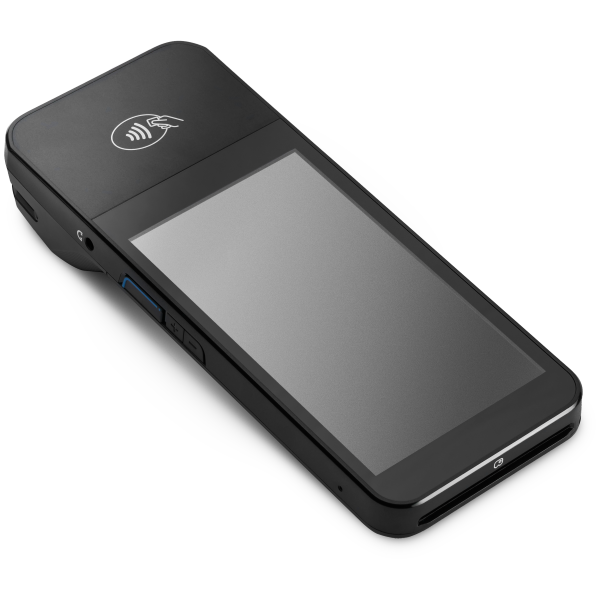
WisePOS E

Built for your workflow

Customer Display

Built-in customer-facing screen lets buyers confirm totals, sign, and interact with the payment process directly.

WiFi & Ethernet

Stable connectivity options for permanent countertop setup. Connect via WiFi or hardwired Ethernet for reliability.

Countertop Ready

Ideal for retail stores, cafes, and service businesses with a fixed checkout counter. Professional look and feel.

Technical specifications

ConnectivityWiFi and Ethernet
DisplayTouchscreen with customer-facing display
Card typesChip, Contactless (NFC), Magstripe
PlatformsiOS and Android (requires paired phone/tablet)
AvailabilityInternational - most Stripe Terminal countries

Get started in minutes

1
Download FlowPOS

Install the current FlowPOS build on your smartphone or tablet.

2
Connect Stripe

Sign in with your Stripe account using secure OAuth.

3
Order your WisePOS E

Purchase from your Stripe Dashboard and set it up at your counter.

4
Connect & accept

Connect the WisePOS E to your network and pair with Flow. Start accepting payments.

Other card readers

Get the App

Download FlowPOS

Download FlowPOS for iOS or Android, connect your Stripe account, and start taking in-person payments from your phone. No hardware required for Tap to Pay.

Works with your existing Stripe account 1% Flow fee on successful payments iOS and Android support