Google Pay No hardware needed

Tap to Pay on Android.

No terminal needed.

Turn your Android phone into a Stripe payment terminal. Customers tap their card or phone, and the payment is processed through your connected Stripe account.
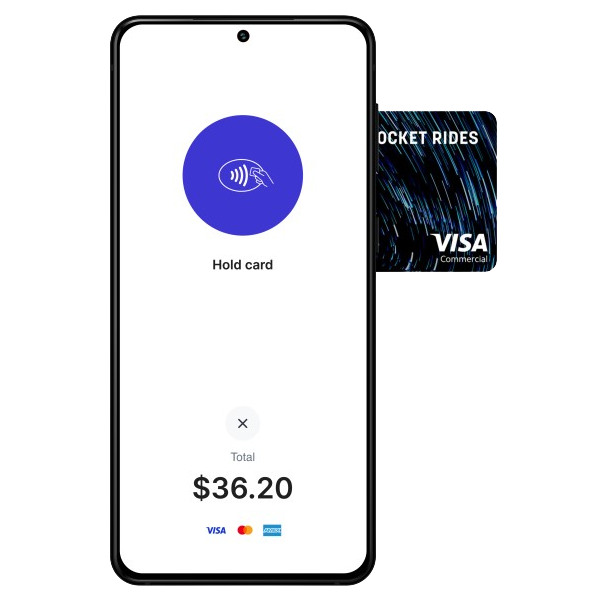
Tap to Pay on Android

Tap to Pay on Android

What you need

Device
NFC-enabled Android

Any Android phone with NFC hardware (most smartphones since 2016)

Operating System
Android 9+

Android Pie (API 28) or newer required

Countries
Supported Stripe countries

Availability depends on Stripe, your account, and your country

Set up in minutes

1
Get Flow POS

Download Flow POS from Google Play. No monthly subscription required.

2
Connect your Stripe account

Sign in with your existing Stripe account using secure OAuth. Takes under 30 seconds.

3
Enable Tap to Pay

Go to Settings → Card Reader and turn on "Built-in Contactless Reader".

4
Accept your first payment

Create a charge, select Tap to Pay, and have your customer tap their card or phone.

What you can accept

Contactless Cards
Any NFC-enabled Visa, Mastercard, Amex, Discover
Apple Pay
From iPhone or Apple Watch
Google Pay
From any NFC-enabled Android device
Digital Wallets
Samsung Pay and other NFC-based wallets
Need chip or magstripe support?

Tap to Pay works only for contactless payments. For chip cards or magstripe cards, add a Stripe-compatible card reader. Flow POS currently requires internet connectivity for reader payments.

Browse Card Readers

Common questions

Any Android phone running Android 9+ with NFC hardware. Most Android smartphones manufactured since 2016 have NFC. Check your device specs if you're unsure.

Tap to Pay on Android availability depends on Stripe, your connected account, and your country.

Any contactless payment: NFC-enabled credit/debit cards (Visa, Mastercard, Amex, Discover), Apple Pay, Google Pay, Samsung Pay, and other digital wallets.

Yes - Tap to Pay on Android requires an active internet connection. Flow POS currently requires internet connectivity for Stripe reader payments too.
Get the App

Flow POS for iOS, Android, and macOS

Download Flow POS from the App Store or Google Play. Apple silicon Mac users can install the iOS app from the App Store and use supported Flow POS workflows on macOS.

Works with your existing Stripe account 1% Flow POS fee on successful payments iOS, Android, and Apple silicon Mac support